
Back

Welcome to the Arizona Child Care Electronic System (CCES)

We know that parents today are living in a digital age! Through technology modernization and the Child Care Electronic System, DES will support families in being better equipped to communicate directly with their child care provider, search for child care options from a wide range of available options and enhanced communication tools. In the future state of the CCES, families will have comprehensive access to resources, including financial assistance, special services, and more, to meet their early childhood care and education needs.

Step 1: Introduction

We recommend watching the Introduction Webinar. This webinar provides an application overview of your attendance tracking tool KinderSmart, and explains how to use and enter attendance. Watch the webinar below 👇🏻.

Step 3: Register KinderSmart or KinderSign

Choose the tab for the application you will be using to see the registration steps you will follow.


If you will be using KinderSmart on your smartphone, your Provider will give you a KinderSmart Registration Form with your name. The KinderSmart Registration Form is unique to each Sponsor. The QR code will register all child’s information, for which you are authorized to enter attendance for, to the KinderSmart app. Be sure you scan only the form with your name and your provider’s information.
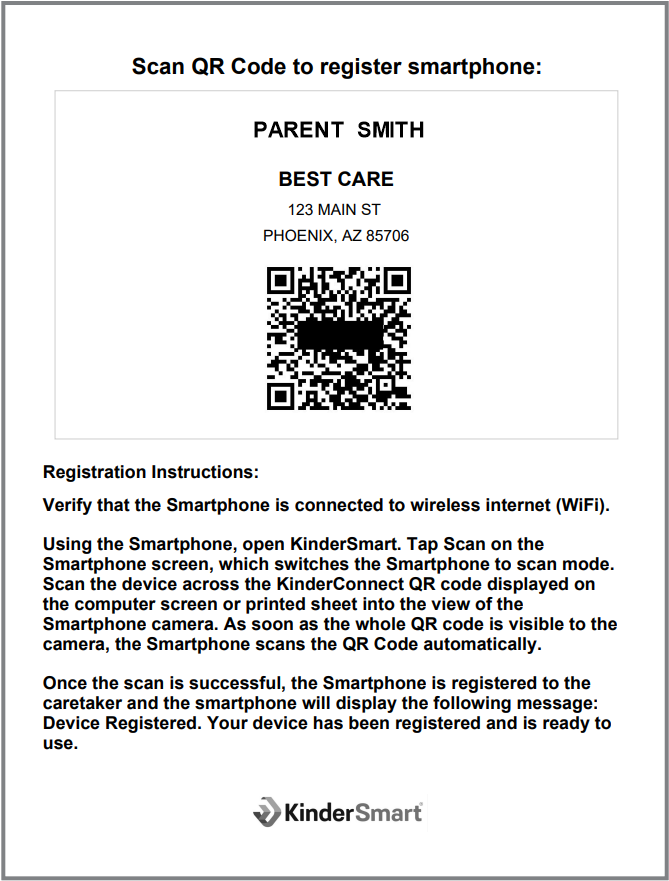
Once you see the main menu, your registration is complete and you are ready to enter your child’s attendance with your smartphone!

This step is only for families attending a Provider who has a tablet already registered to KinderSign and ready to be used.

Step 4: Attendance

Step 5: Other KinderSign/KinderSmart menu options: